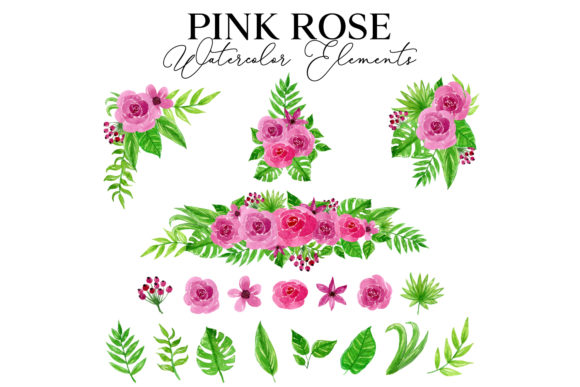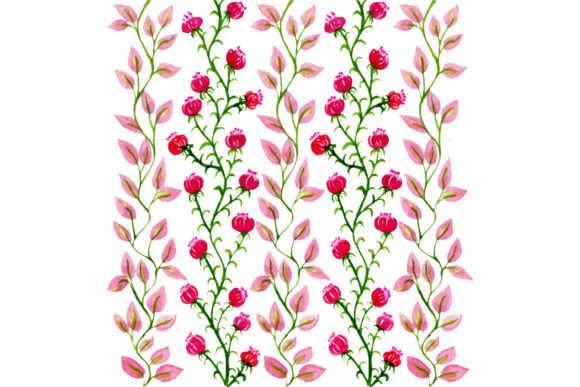
Soft Pink Floral Watercolor Patterns for Design
There is a distinct softness that only watercolor can bring to a design project. Unlike sharp vector lines or flat digital colors, the Pink Floral Watercolor Pattern offers an organic, hand-painted feel that instantly adds warmth and elegance to any visual composition. Whether you are designing a wedding invitation, branding a boutique shop, or simply looking to add a touch of spring to your digital planner, this style bridges the gap between traditional artistry and modern utility. The appeal lies in its versatility; the gentle hues of blush, rose, and magenta blend seamlessly with white space, making it suitable for both delicate feminine projects and bold, contemporary layouts.
When you download a high-quality pack of these patterns, you are not just getting a pretty image. You are acquiring a toolkit designed to work across various platforms and skill levels. The true value comes from the included files typically found in professional bundles: AI, EPS, SVG, and PNG. Each format serves a specific purpose, ensuring that whether you are a seasoned graphic designer using Adobe Illustrator or a small business owner working in Canva or Microsoft Word, you have the right tool for the job. Understanding how to leverage these different file types is the key to unlocking the full potential of the artwork without frustration or quality loss.
Why This Style Resonates with Creators
The enduring popularity of pink floral motifs stems from their emotional resonance. Pink is universally associated with compassion, nurturing, and love, while the watercolor technique suggests authenticity and human touch. In a digital world often dominated by sterile, perfect geometry, a watercolor texture reminds the viewer of imperfection and craft. For entrepreneurs and marketers, this is a powerful psychological trigger. It signals that a brand is approachable, caring, and attentive to detail.
For bloggers and content creators, these patterns solve a common problem: creating cohesive visual assets quickly. Instead of spending hours painting flowers or searching for inconsistent clipart, a seamless pattern allows you to create backgrounds for Instagram stories, headers for blog posts, or overlays for YouTube thumbnails in minutes. The "seamless" nature means the image tiles perfectly without visible edges, allowing you to cover large areas like website backgrounds or fabric prints without interruption.
Breaking Down the File Formats
To get the most out of your purchase, it helps to understand what each file extension offers. Here is how you can use the included formats effectively:
- AI (Adobe Illustrator): This is the native source file for professional designers. It allows you to edit every single brush stroke, change the shade of pink, or rearrange individual flowers. If you need to customize the pattern to match a specific brand color palette exactly, this is the file you want.
- EPS (Encapsulated PostScript): Think of this as the universal vector format. It works with almost any design software, including CorelDRAW and older versions of illustration programs. Like the AI file, it is scalable to any size without losing quality, making it ideal for large format printing like banners or trade show displays.
- SVG (Scalable Vector Graphics): This is the web-friendly vector format. It is perfect for cutting machines like Cricut or Silhouette, allowing crafters to create vinyl decals, t-shirt designs, or paper goods. It is also excellent for web developers who need crisp icons or background elements that load quickly on websites.
- PNG (Portable Network Graphics): This is the raster image format most people are familiar with. High-resolution PNGs come with transparent backgrounds, meaning you can drag and drop the flowers directly into documents, presentations, or social media templates without worrying about removing a white box around the image.
Practical Applications Across Industries
The utility of a Pink Floral Watercolor Pattern extends far beyond simple decoration. Consider the following real-world scenarios where these assets add significant value:
Wedding and Event Planning: This is perhaps the most obvious use case. From save-the-date cards to menu cards and table runners, the romantic aesthetic fits perfectly. Using the vector files (AI or EPS), a printer can ensure the text remains sharp even when placed over complex floral backgrounds.
Educational Resources: Teachers and educators often need engaging materials for younger students or for subjects like biology and botany. A soft floral pattern can make worksheets, reward charts, or classroom decor feel inviting rather than institutional. The SVG files are particularly useful here for creating custom stickers or laminated tags.
Product Packaging: Small business owners selling handmade soaps, candles, or cosmetics often rely on packaging to convey luxury. A subtle pink watercolor background on a label suggests natural ingredients and care. Because the pattern is seamless, it can be wrapped around cylindrical containers without awkward cuts.
Digital Products: For those selling digital planners or journals, these patterns serve as excellent page backgrounds. They provide visual interest without overpowering the writable space. The transparency of the PNG files ensures that hyperlinks and text boxes remain legible.
Things to Consider Before You Start
While working with these patterns is generally straightforward, there are a few practical considerations to keep in mind to ensure professional results. First, always check the resolution of the PNG files if you intend to print them. For high-quality commercial printing, you generally want images at 300 DPI (dots per inch). If the file is too low resolution, your printed flowers may look pixelated or blurry.
Secondly, consider color management. Screens display colors in RGB (light), while printers use CMYK (ink). A vibrant neon pink on your monitor might print as a duller rose color. If color accuracy is critical for your brand, using the AI or EPS files to adjust the color profile within your design software before sending to print is essential.
Finally, think about layering. One of the joys of watercolor is its translucency. When applying these patterns to your projects, try lowering the opacity slightly or placing them behind semi-transparent shapes. This creates depth and prevents the design from looking too heavy or distracting. The goal is to enhance the content, not compete with it.
In summary, integrating a Pink Floral Watercolor Pattern into your workflow is a smart move for anyone looking to elevate their visual identity. With the right mix of AI, EPS, SVG, and PNG files, you have the flexibility to adapt these beautiful designs to virtually any medium. Whether you are crafting a physical product or designing a digital experience, these assets provide the perfect blend of artistic charm and technical functionality.