Product Sale Banner Template 81: Your Design Shortcut
Creating professional marketing materials often feels like a hurdle for small business owners and freelancers who need to focus on their core work rather than graphic design. This is where Product Sale Banner Template 81 becomes an invaluable asset. It is not just a static image; it is a fully customizable foundation designed to streamline your promotional efforts. Whether you are launching a new product line, announcing a seasonal discount, or simply refreshing your brand's visual identity, this template offers the flexibility and quality needed to stand out in a crowded digital and physical marketplace.
At its core, this resource is built for versatility. Many designers struggle with files that look good on screen but pixelate when printed, or layouts that are impossible to adjust without breaking the design. Product Sale Banner Template 81 solves these issues by providing a VECTOR EPS 10 file format. This technical detail is crucial because it means every graphic element within the design is mathematically defined rather than made of pixels. Consequently, you can scale the banner up to the size of a billboard or down to a social media icon without losing any sharpness or clarity. This scalability makes it perfect for backgrounds, social media stories, product catalogs, expandable and roll vertical banners, flyers, brochures, and digital displays.
Why Vector Quality Matters for Your Brand
When you invest time in promoting your business, consistency is key. A blurry logo on a printed flyer can unintentionally signal a lack of professionalism. The primary advantage of using a vector-based template like this one is the guarantee of crisp edges and vibrant colors across all mediums. Since all graphics are 100% vectors, you have total control over the output quality.
Furthermore, the editability of the file cannot be overstated. Included in your download is a sample preview in JPEG for quick viewing, but the real power lies in the Adobe Illustrator source file. Once you open the file, you will find that all object colors are editable. This allows you to match the template perfectly to your specific brand palette. If your company uses a specific shade of blue or a unique accent color, you can swap it in instantly without needing to redraw shapes or guess hex codes. This level of customization ensures that while you save time on the layout, the final result still feels uniquely yours.
Practical Applications Across Different Channels
The true value of Product Sale Banner Template 81 lies in its adaptability to various contexts. Let's explore how different users can leverage this single file for multiple purposes:
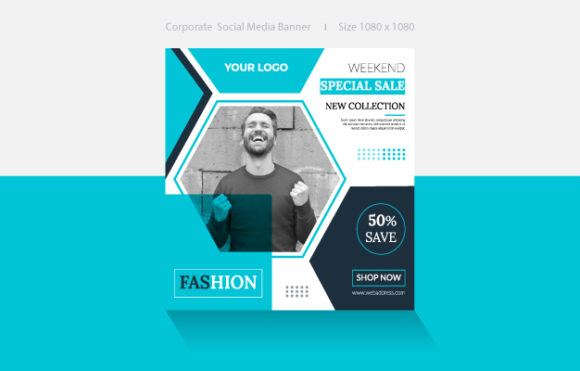
- Retail and E-commerce: Online store owners can use the layout to create eye-catching headers for their websites or promotional images for email newsletters. The clean lines and balanced composition draw attention directly to the product and the call-to-action.
- Event Marketing: For those organizing trade shows or local markets, this template is ideal for creating expandable and roll vertical banners. Because it is vector-based, you can send the file directly to a large-format printer knowing the resolution will hold up perfectly.
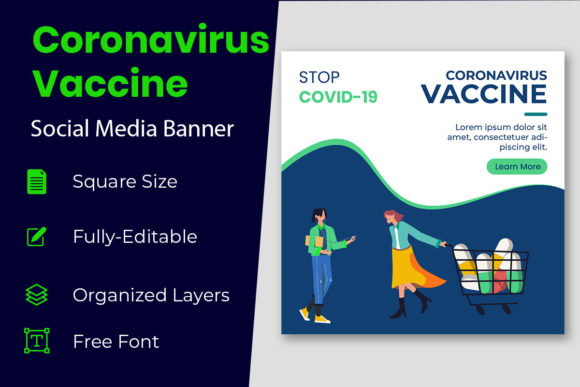
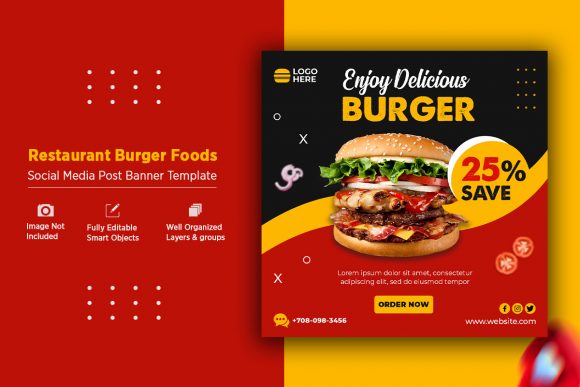
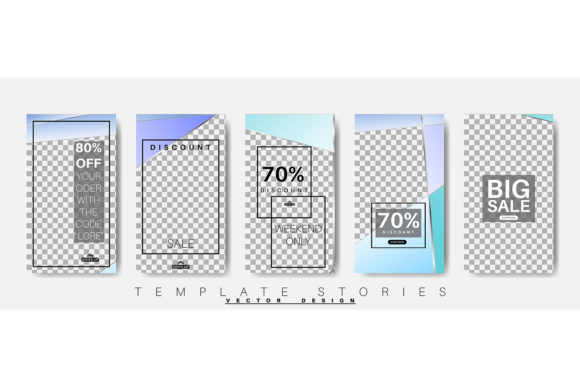
- Social Media Management: Content creators and marketers can adapt the dimensions to fit Instagram Stories or Facebook posts. The modular nature of the design allows you to highlight flash sales or limited-time offers with urgency and style.
- Print Collateral: Small businesses often need cohesive branding across physical items. You can easily modify this template to serve as a flyer handed out at events or a page in a product catalog, ensuring your print and digital presence looks unified.
Consider a freelance photographer looking to promote a summer portrait package. Instead of hiring a designer, they can open Product Sale Banner Template 81, change the placeholder text to "Summer Sessions," update the colors to warm tones that match their portfolio, and export a high-resolution PDF for printing postcards and a web-ready PNG for their website. The process takes minutes rather than days.
Getting Started with Adobe Illustrator
To make the most of this template, you will need access to Adobe Illustrator. While this might sound intimidating to beginners, the file is structured to be user-friendly. The layers are typically organized logically, separating text, background elements, and graphical accents.
Here is a simple workflow to get you started:
- Open the File: Launch Adobe Illustrator and open the EPS 10 file included in your download.
- Inspect the Layers: Look at the layers panel to understand how the design is constructed. Identify which layer holds the text so you don't accidentally move background elements.
- Customize Colors: Use the direct selection tool to click on colored objects. Change the fill and stroke colors to align with your brand guidelines. Since all objects are editable, there are no locked surprises hiding in the design.
- Update Content: Replace the sample text with your own headline, subheadline, and contact information. Choose fonts that complement the existing style or swap them entirely if the license permits.
- Export: Save your working file as an AI or EPS for future edits. Then, export a JPEG for web use or a PDF for professional printing.
This straightforward process empowers entrepreneurs and hobbyists to produce high-quality visuals without a steep learning curve. The template acts as a safety net, ensuring that even if you are new to design principles, the end result maintains proper alignment, spacing, and visual hierarchy.
Important Considerations Before You Begin
While Product Sale Banner Template 81 is designed to be flexible, there are a few things to keep in mind to ensure the best results. First, always check the font requirements. While the text is editable, the specific fonts used in the preview may need to be installed on your computer or substituted with similar typefaces available in your library. Second, consider your output medium early in the process. If you are designing for a large roll-up banner, ensure your color mode is set to CMYK for accurate printing. For digital displays and social media, RGB mode will provide more vibrant colors on screens.
Additionally, think about the message hierarchy. Just because you can change everything doesn't mean you should. The original layout was likely designed with a specific flow in mind—guiding the viewer's eye from the headline to the image and then to the details. Try to preserve this logical flow even as you customize the colors and text. Overcrowding the design with too much information can dilute the impact of your sale or announcement.
In conclusion, having a reliable, high-quality template in your toolkit can significantly reduce the stress of marketing your projects. Product Sale Banner Template 81 offers the perfect blend of professional aesthetics and user-friendly editing capabilities. By leveraging its vector precision and adaptable layout, you can create compelling visuals that resonate with your audience, whether they are scrolling through a feed on their phone or walking past a display at a local event. It is a practical solution for anyone looking to elevate their visual communication efficiently and effectively.